iconcat()
This section illustrates uses of iconcat().
iconcat(x;d)
Description:
Concatenate distinct values of the aggregation field into a string, separated by a separator.
iconcat(x;d)
Note:
Concatenate the distinct values of aggregation field x, using separator d to separate them. If d is omitted, concatenate the values directly without a separator. Can only be used as an aggregation function within groups.
Parameter:
|
x |
Aggregation field name. |
|
d |
The separator. |
Option:
|
@c |
Use comma as the separator. |
|
@i |
Wrap distinct values with single quotation marks for concatenation. |
|
@q |
Wrap distinct values with quotation marks for concatenation. Do not handle them this way by default. |
|
@0 |
Discard nulls and empty strings. |
Return value:
String
Example:
|
|
A |
|
|
1 |
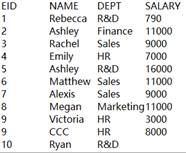
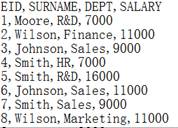
=demo.query("select top 10 EID,NAME,STATE,DEPT from employee") |
Return a table sequence:
|
|
2 |
=A1.groups(DEPT;iconcat(STATE;"_"):ALL_STATE) |
Group A1’s sequence by DEPT field, concatenate the STATE values within each group using _ as the separator, and return the result in ALL_STATE column:
|
|
3 |
=A1.groups(DEPT;iconcat@c(STATE):ALL_STATE) |
With @c option, use commas as the separator:
|
|
4 |
=A1.groups(DEPT;iconcat@q(STATE):ALL_STATE) |
With @q option, wrap each distinct value with the quotation marks for concatenation:
|
|
5 |
=A1.groups(DEPT;iconcat@i(STATE):ALL_STATE) |
With @i option, wrap each distinct value with the single quotation marks for concatenation:
|
|
6 |
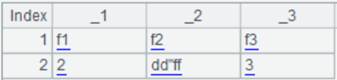
=A1.groups(DEPT;iconcat@i(STATE;"|"):ALL_STATE) |
With @i option, wrap each distinct value with the single quotation marks for concatenation and use | as the separator:
|


When @0 option is used:
|
|
A |
|
|
1 |
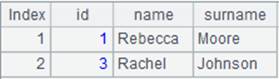
=create(id,num).record([1,11,1,,1,33,2,232,2,577,2,null]) |
Return a table sequence:
|
|
2 |
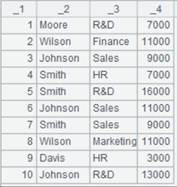
=A1.groups(id;iconcat(num;";")) |
Group A1’s sequence by id and aggregate the data, concatenating the distinct values of the aggregation field with semicolons:
|
|
3 |
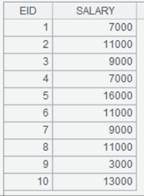
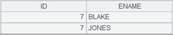
=A1.groups(id;iconcat@0(num;";")) |
With @0 option, discard empty strings and nulls:
|
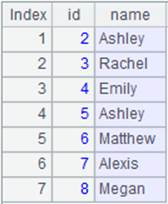
A.iconcat(d)
Description:
Concatenate the distinct members in a sequence into a string, separated by a separator.
Syntax:
A.iconcat(d)
Note:
The function concatenates the distinct members of A into a string using separator d, processing any sub-sequences as well. If d is omitted, concatenate the members directly without a separator.
Option:
|
@q |
Wrap distinct values with quotation marks for concatenation. Do not handle them this way by default. |
|
@c |
Use comma as the separator. |
|
@i |
Wrap distinct values with single quotation marks for concatenation. |
|
@n |
When A is a sequence of sequences, concatenate the distinct members in A using separator d to form a string, then join the resulting strings with newline characters. This is equivalent to A.(~.iconcat(d)).iconcat("\n"). If other options are specified, apply them in the inner iconcat operation.
|
|
@0 |
Discard nulls and empty strings. |
Parameter:
|
A |
A sequence of strings. |
|
d |
The separator. |
Return value:
String
Example:
|
|
|
A |
|
|
1 |
|
=[1, ["a","b"],[2,"c"], ["a","b"]] |
|
|
2 |
|
=A1.iconcat() |
Concatenate distinct members in sequence A1, separated by the default separator, and return 1[ab][2c]. |
|
3 |
|
=A1.iconcat(":") |
Concatenate distinct members in sequence A1, separated by colon, and return 1:[a:b]:[2:c]. |
|
4 |
|
=A1.iconcat@q() |
With @q option, wrap distinct members with the quotation marks to concatenate them, and return 1["a""b"][2"c"]. |
|
5 |
|
=A1.iconcat@c() |
With @c option, use comma as the separator and return 1,[a,b],[2,c]. |
|
6 |
|
=A1.concat@i() |
With @i option, wrap distinct members with the single quotation marks to concatenate them, and return 1['a''b'][2'c']. |
|
7 |
|
=[[1,2,3], ["a","b","a"],[2,"c"],[1,2,3]] |
Return a sequence of sequences. |
|
8 |
|
=A7.concat@n("-") |
With @n option, concatenate members in the sequence of sequences using - as the separator, and separate the resulting strings with a single newline. The result is as follows:
|
|
9 |
|
=A7.concat@nc() |
With @nc options, return result as follows:
|
|
10 |
|
=[123,,456,null,789,456].iconcat(";") |
Return 123;;456;789. |
|
11 |
|
=[123,,456,null,789,456].iconcat@0(";") |
With @o option, discard nulls and empty strings, and return 123;456;789. |