T.index( n )
Description:
Create an index foran in-memory table.
Syntax:
T.index(n)
Note:
The function creates an index of length n for in-memory table T. Remove the index when parameter n is 0 or the in-memory table reset key.
To create an index table, the in-memory table’s primary key values need to be unique, otherwise error will be reported. base key
Parameter:
|
T |
An in-memory table with unique primary key values. |
|
n |
The length of index. Use the default index length when the parameter is absent. |
Option:
|
@m |
Create the index with parallel processing. |
|
@n |
Ignore parameter n and create a sequence number-based index. Directly use record numbers when in-memory table T does not have a sequence number key. |
|
@s |
Create a multilevel tree-structured index when the in-memory table T’s base key is serial byte type, and ignore parameter n. |
Return value:
In-memory table
Example:
Create index on the in-memory table:
|
|
A |
|
|
1 |
=file("ei.ctx") |
|
|
2 |
=A1.create@y(#EID,NAME,DEPT) |
Create the composite table’s base table and set EID as the key. |
|
3 |
=demo.cursor("select EID,NAME,DEPT from employee") |
|
|
4 |
=A2.append@i(A3) |
Append cursor A3’s data to the composite table. |
|
5 |
=A4.memory() |
Generate an in-memory table from a composite table’s entity. table; the new table inherits the entity table’s key. |
|
6 |
=A5.index(10) |
Create an index of length 10 on the in-memory table. |
|
7 |
=A5.index(0) |
With parameter being 0, the index table is removed. |
Create multilevel tree-structured index on the in-memory table:
|
|
A |
|
|
1 |
=3.new(k(~:2):id,~*~:num) |
Create a table sequence. |
|
2 |
=A1.keys(id) |
Set id as the table sequence’s key. |
|
3 |
=A2.memory() |
Convert the table sequence into an in-memory table, which inherits the former’s key.
|
|
4 |
=A3.index@s() |
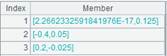
As the in-memory table’s key is serial byte, use @s option to create multilevel tree-structured index for it. |
Create sequence-number-based index for the in-memory table:
|
|
A |
|
|
1 |
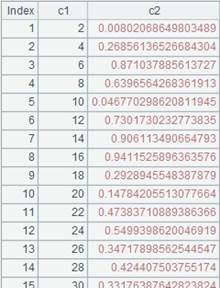
=to(100).new(~*2:c1,rand():c2) |
Create a table sequence.
|
|
2 |
=A1.memory() |
Generate an in-memory table from the table sequence. |
|
3 |
=A2.index@n() |
Use @n option to create a sequence number-based index on the in-memory table based on the record numbers as there isn’t a sequence number key in A2’s in-memory tablebase key. |
|
4 |
=A3.find(6) |
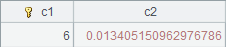
Get the record whose key value is 6 from the in-memory table, which is the one whose sequence number is 6, and return the following result:
|
|
5 |
=A2.keys(c1) |
Reset the in-memory table’s key as c1 field while removing the existing index table. |
|
6 |
=A3.find(6) |
Query the record where the key value is 6 and return the following result:
|