Advanced metadata design
The Semantic layer subsection has explained the process of creating the metadata file. Besides the basic configuration, there are advanced configurations in the metadata, involving foreign key, logical table’s level function and subtables. The previous subsection illustrates how to use the advanced configurations, and this subsection will take a further step to inroduce the advanced metadata design.
Foreign key
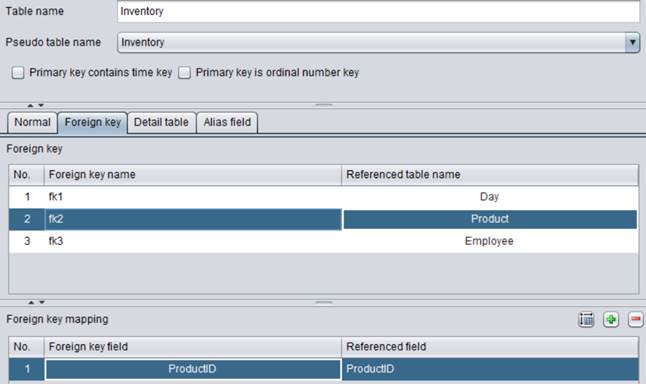
We can define the foreign key as needed. Similar to the association between database tables, association is created between two DQL tables if a DQL table’s foreign key field points to the primary key of another DQL table.
Foreign key name: The foreign key name can be directly edited, and should be unique within the current table otherwise errors will happen during the foreign key reference. When a foreign key consists of only one field, usually an alias will not be specified for it but instead the field name is used directly. If a foreign key consists of multiple fields, we must use the Foreign key name when referencing a field of table referenced by the foreign key. In the above screenshot, fk1, fk2 and fk3 are all foreign key names and fk2 is selected.
Referenced table name: Name of the table pointed by the foreign key. When the referenced table has a unique primary key and the key does not act as the foreign key, the table is called dimension table (simply called dimension). In the above screenshot, the dimension table is Product.
Referenced field: The primary key of the table pointed by the foreign key. In the above screenshot, the referenced field is ProductID, which is Product table’s primary key.
Foreign key filed: Field values of the current table correspond to those of referenced field one by one. In the above screenshot, Inventory table’s foreign key field is ProdcutID.
In DQL, a foreign key field and a dimension field have equal positions. We can regard a foreign key field as a dimension field.
Any table’s primary key can be regarded as a dimension field. When a table’s primary key is also the foreign key, the primary key’s dimension is the dimension pointed by the foreign key. When a primary key isn’t a foreign key, its dimension is itself. For a non-primary key field, it becomes a dimension field only when it is used as the foreign key and the field’s dimension is the dimension pointed by the foreign key.
Example:
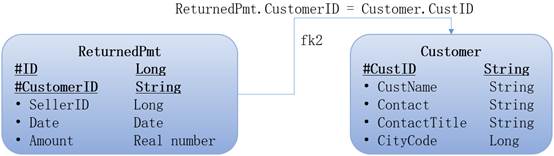
According to the above figure, ReturnedPmt table’s CustomerID field points to Customer table’s CustID field. The relationship between ReturnedPmt and Customer is many to one. Related conceptions are as follows:
Foreign key field: ReturnedPmt table’s CustomerID field.
Dimension table: Customer table
Referenced field: Customer table’s primary key, the CustID field
DQL allows referencing a field in the foreign key table as referencing an attribute. In SELECT CustomerID.CustName,Date,Amount FROM ReturnedPmt for instance, CustomerID.CustName references CustName field in Customer table pointed by CustomerID.
Learning points:
1) In DQL, we can directly use a single-field foreign key through the syntax of foreign key field.foreign key table’s field name.
2) In DQL, we can directly use a composite foreign key through the syntax of foreign key name.foreign key table’s field name.
3) The reference syntax of foreign key name.foreign key table’s field name applies to both composite foreign keys and single-field foreign keys.
Level function
The level function enables you to define a multidimensional hierarchical structure in a flexible way, such as “Year, YearMonth, Day” of the time dimension and “Country, Province, City” of the geography dimension, and analyze data at various levels of granularity. You just need to define such a hierarchical structure once in the metadata edit designer and then repeatedly use it at different positions, making data analysis significantly more flexible.
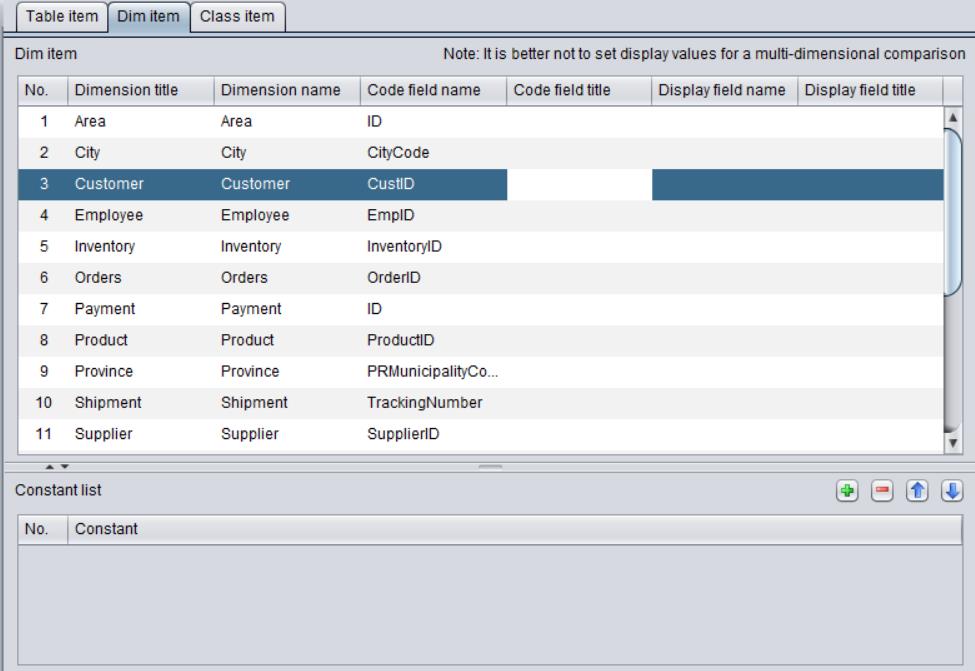
When the foreign key relationships between tables are established in the metadata definition, the system automatically generates definitions of the involved dimensions according to the dimension information created through the foreign key settings. Then you can define the relationship between these dimensions on the metadata’s Dim and Level panel.
When a parameter of a table’s function is a sub-dimension and the function returns a different sub-dimension, the function is called a level function. By defining the relationship between different levels of sub-dimensions, you can observe data at different levels of granularity.
To define a hierarchical structure, the number of tables (or logical tables) to be defined is the number of sub-dimensions. For example, a geographic dimension can be broken down into three tables – Area table, State table, City table, which respectively correspond to three sub-dimensions: “area”, “state” and “city”. Fields of a business table need to be associated with the table at the corresponding level. For example, a field of a business table storing data of city level needs to be associated with the “city table”, and that of a table storing data of area level needs to be associated with the “area table”.
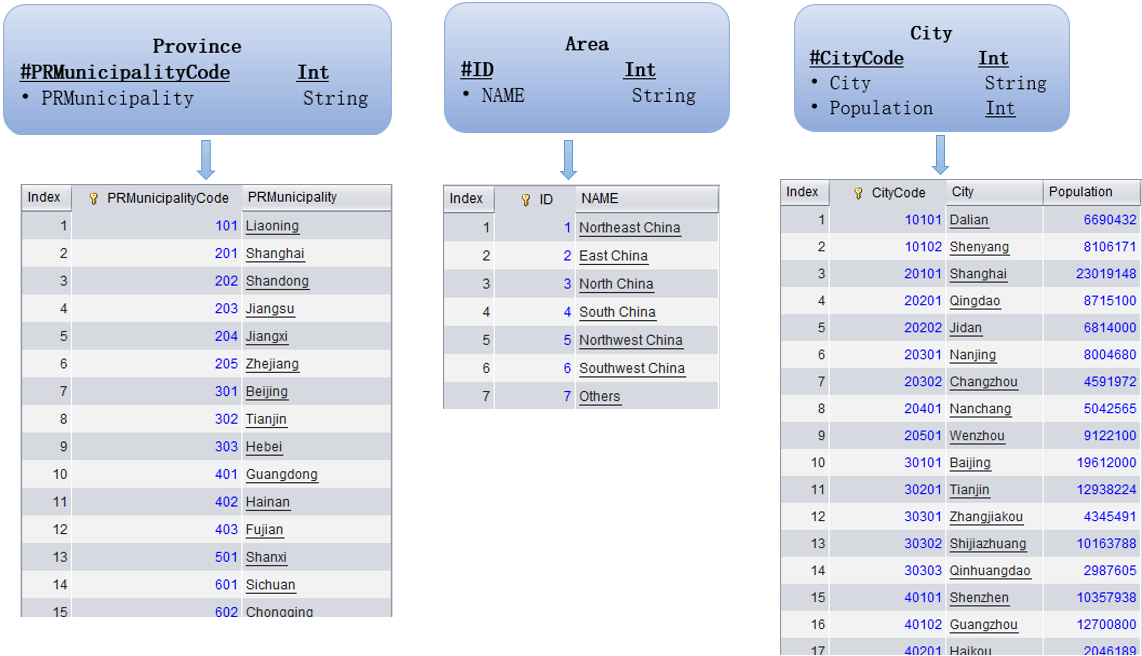
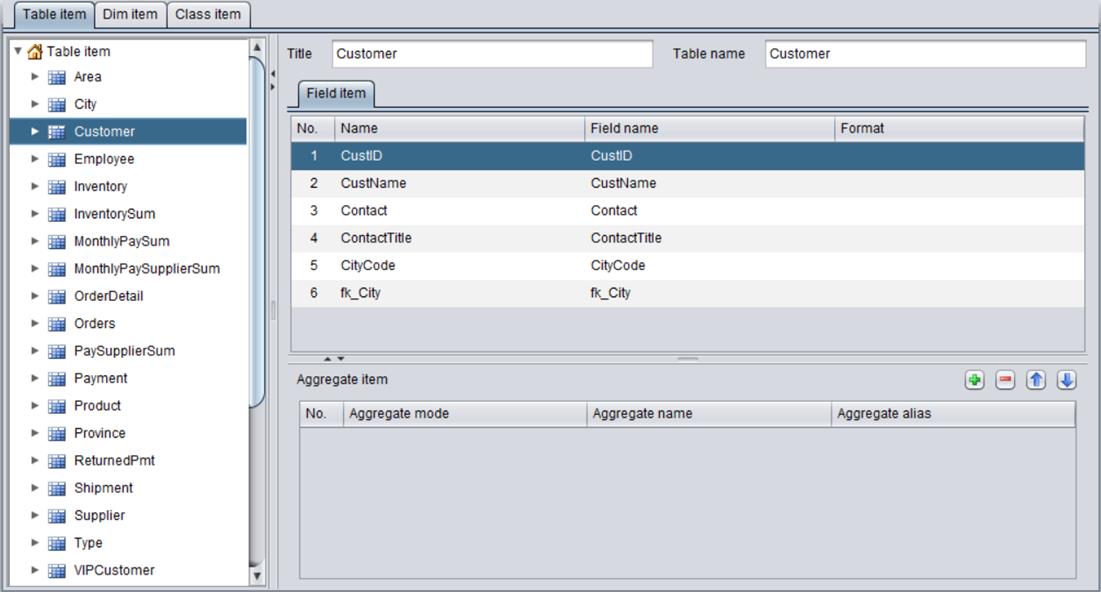
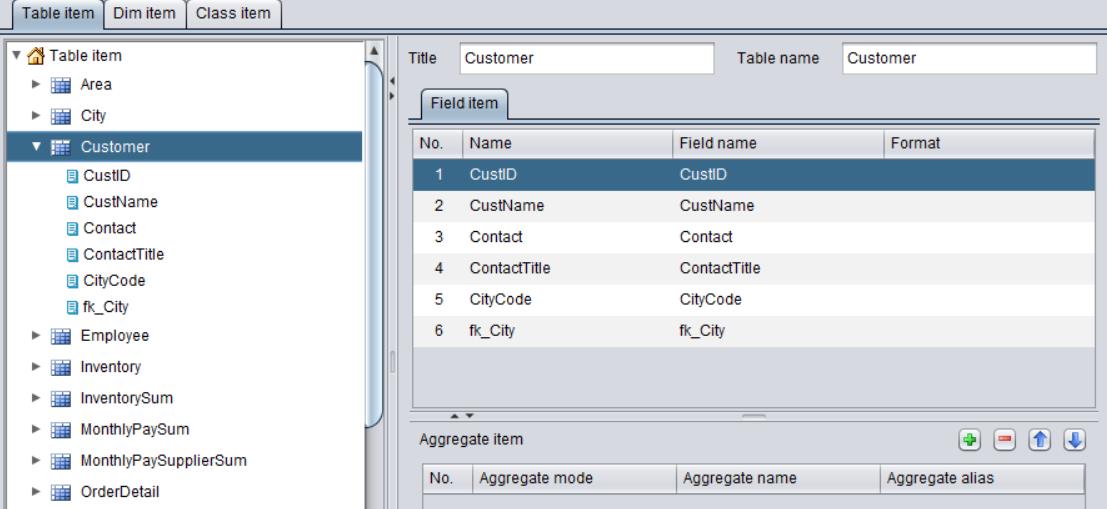
Take demo.glmd as an example, which defines three tables – Province, Area, City. Their structures and data are as follows:
Use the three tables to define the hierarchy:
City:
Province:
Area:
Note:
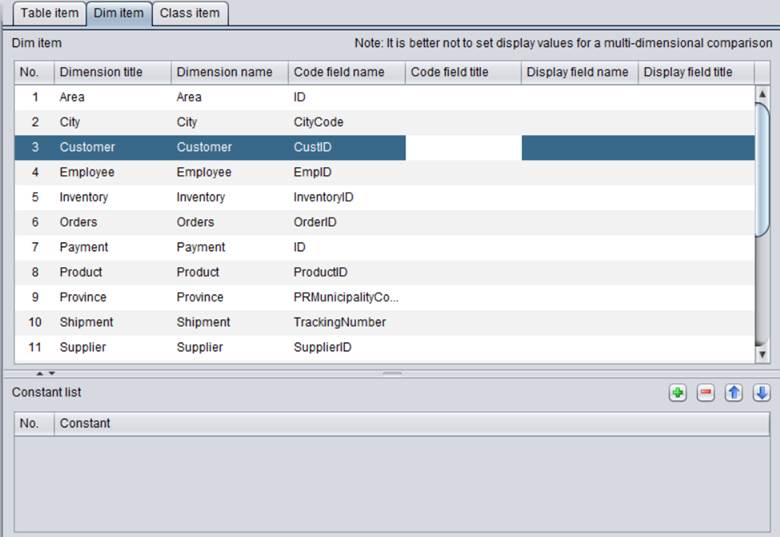
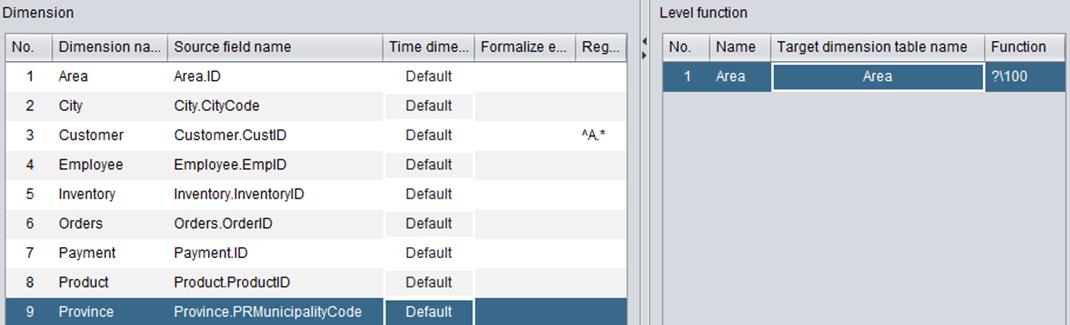
Use question mark (?) in an inter-level expression to represent the table containing the source field. In the following instance, values of Area field of “Area” dimension are computed from the PRMunicipalityCode field of “Province” dimension through the expression ?/100:
Once the hierarchical structure is defined, you can directly use a part of it in a DQL query, as shown below:
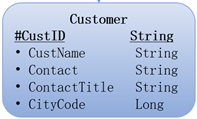
Customer table’s CityCode is a numeric type field. In the tables’ foreign key definition, a foreign key association between its CityCode field and City table’s City field is established, as shown below:
This way you can obtain province and area information corresponding to the CityCode field for the DQL query, such as CityCode#Province, which obtains province information for CityCode, and CityCode#Area, which gets area information for the field:
DQL: SELECT CustID,CustName,Contact,ContactTitle,CityCode,CityCode#Province Province,CityCode#Area Area FROM Customer
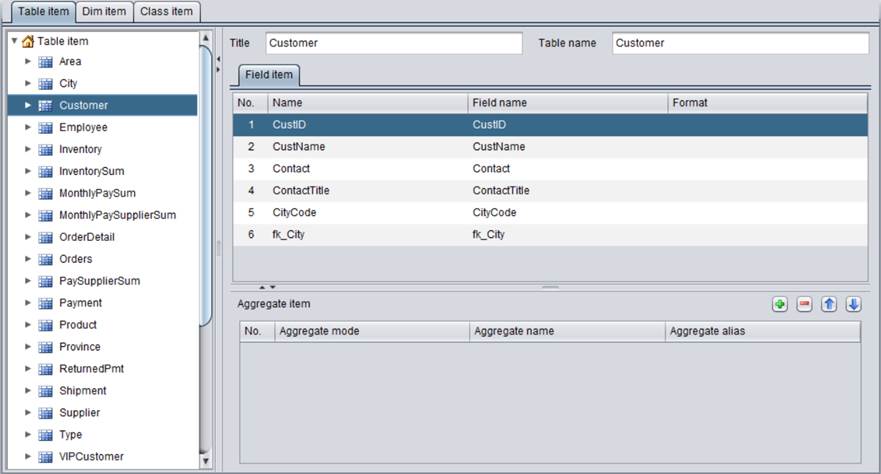
DQL: SELECT count(CustID) CustNumber ON Area FROM Customer BY CityCode#Area
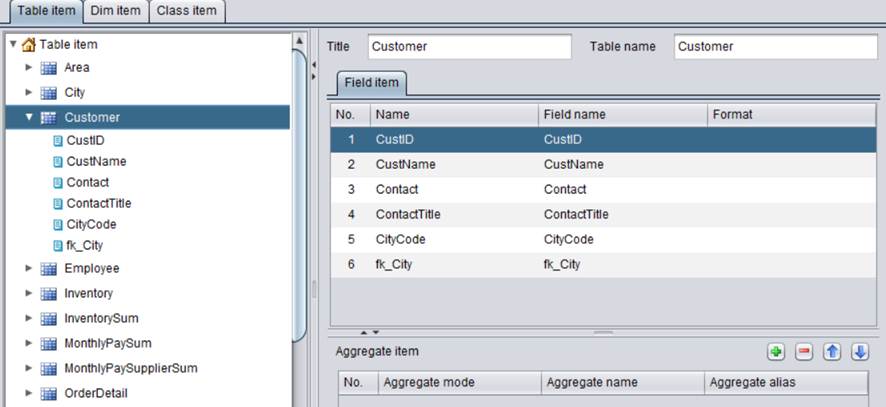
DQL: SELECT count(CustID) CustNumber ON Province FROM Customer BY CityCode#Province
Logical table
A logical table is a virtual, single-field table without records. Being treated as an ordinary table, it is mainly used for defining the dimension hierarchy in scenarios where the corresponding physical tables are absent. For example, usually there isn’t a physical table corresponding to the time dimension, and the logical table can be created to do the same work.
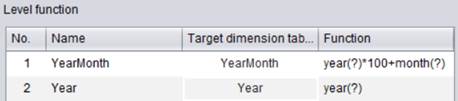
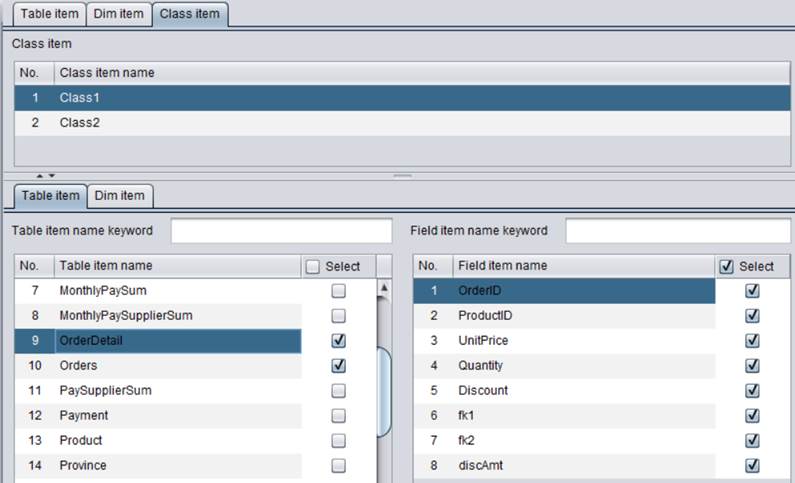
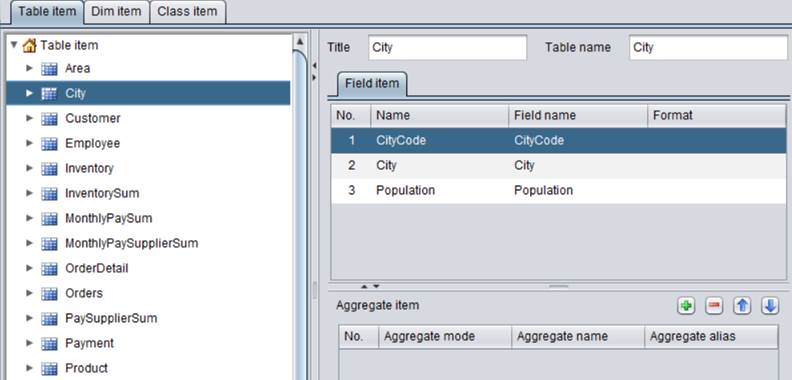
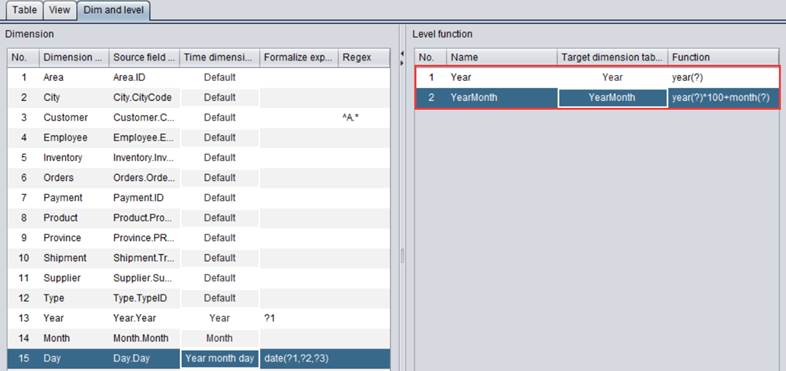
For example, we can define the date hierarchy in demo.glmd through three logical tables – date, year and month:

Note:
1. Here are system pre-defined level functions for date dimension:
|
datetime |
Datetime dimension |
|
date |
Date dimension, which consists of year-month-day |
|
year |
The year |
|
season |
The quarter |
|
month |
The month |
|
day |
The date |
|
mday |
Month-day |
|
week |
The day in a week; 1 represents Sunday |
|
yseason |
Quarter of the year |
|
ymonth |
Month of the year |
|
weeks |
Which week |
|
yweeks |
Which week in the current year |
|
sweeks |
Which week in the current quarter |
|
mweeks |
Which week in the current month |
2. A inter-level expression can be regarded as performing a computation from low to high in terms of granularity. For example, you can obtain the year from year-month-day in a date dimension, but cannot obtain year-month-day from the day.
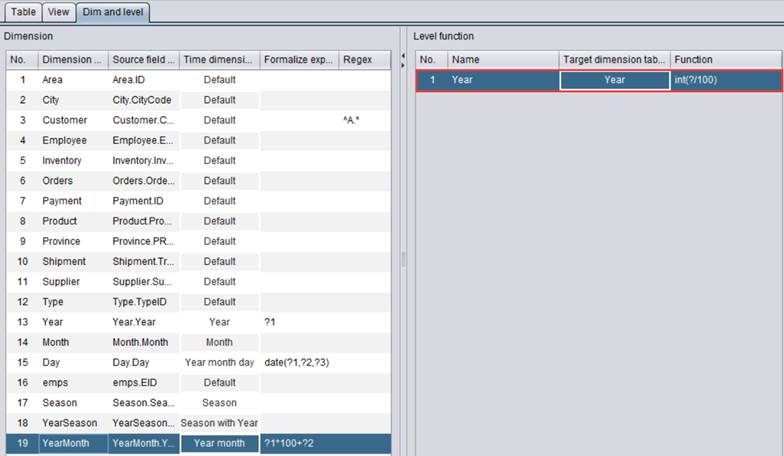
3. A target dimension can be obtained from different source dimensions. The “year” dimension, for instance, can be obtained through aggregation either from year-month-day or from e “year-month”. Therefore, two inter-level expressions need to be defined for obtaining the “year” dimension from date table’s date value or from month table’s yearmonth value.
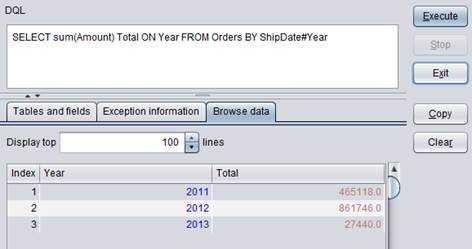
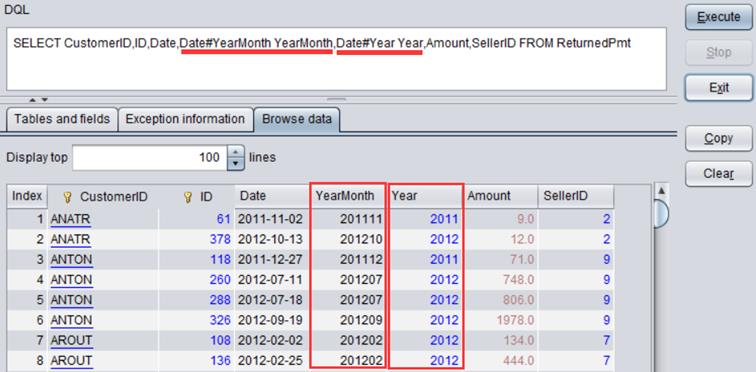
Next, you can directly use a defined date level function in the DQL query, as shown below:
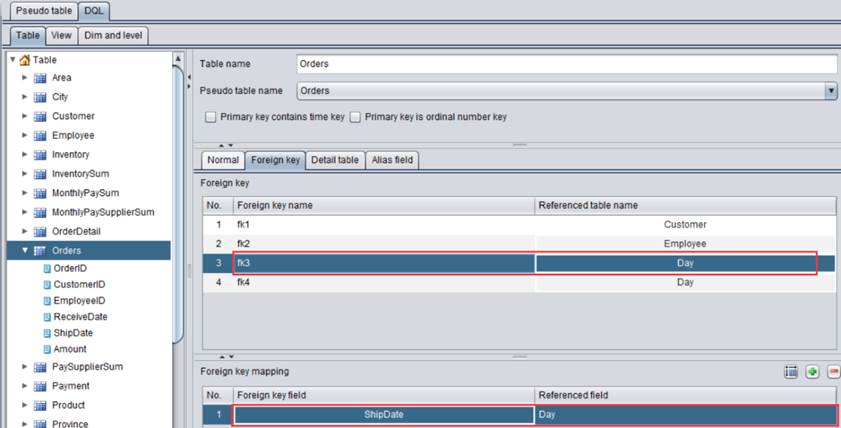
ReturnedPmt table’s RDate field is date type. In the table’s foreign key definition, a foreign key association is established between the field and date table’s date field, as shown below:
This way you obtain year and month information of RDate through the DQL query. For instance, RDate#year obtains the year of RDate and RDate#ymonth gets year and month of RDate.
DQL: SELECT CustomerID,ID,Date,Date# ymonth YearMonth,RDate#year Year,Amount,SellerID FROM ReturnedPmt
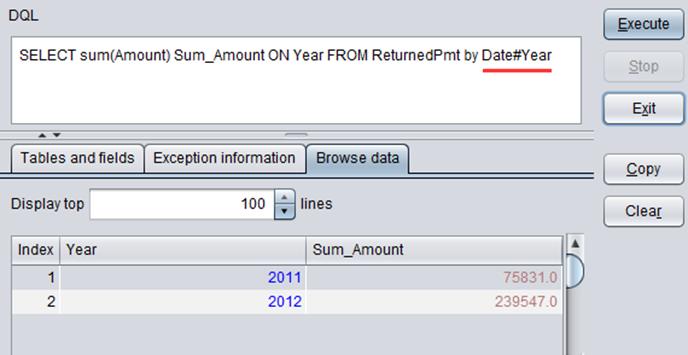
DQL: SELECT sum(Amount) Sum_Amount ON year FROM ReturnedPmt by RDate#year
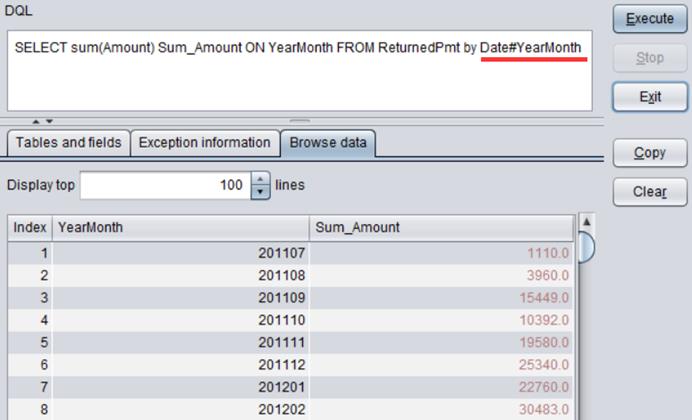
DQL: SELECT sum(Amount) Sum_Amount ON YearMonth FROM ReturnedPmt by Date#YearMonth
Subtable
In metadata, if table A has a composite primary key and when the foreign key is defined for part of the primary key fields, table A will be automatically listed as one of the sub tables of the primary table pointed by the above-mentioned foreign key.
A primary table is a table pointed by a foreign key consisting of part of the table’s primary key fields; a dimension table of the level function with a single-field primary key; a primary table’s primary table; a homo-dimension table’s primary table; or a primary table’s homo-dimension table.
Note: For a primary table and their sub table, their primary key values should correspond in order and both tables should be ordered by the primary key. The sub table’s foreign key should be linked to the primary table’s primary key field.
For example:
CustID is the primary key of Customer table. In ReturnedPmt table, the primary key is made up CustomerID and ID; the foreign key CustomerID points to Customer table’s CustID.
Below are foreign key settings for ReturnedPmt table:
The sub table ReturnedPmt is automatically added to Customer table:
Pseudo fields
By setting up primary key and foreign key, we create association between tables. According to the foreign key, we can get information from Customer table and information of VIPCusotmer and other tables that share the same dimension as Customer; we can get information of City table through Employee table’s foreign key association; and so on.
A general foreign key refers to a table’s foreign key, a homo-dimension table’s foreign key or the foreign key of a general foreign-key-pointed table. Besides, we also treat the general foreign key’s level function as a kind of general foreign key.
A table’s fields, a homo-dimension table’s fields, fields of a general foreign-key-pointed table and a generalized field’s level function, we call all of them as generalized fields.
An expression defined through a generalized field is called a pseudo field, which is treated as a generalized field but isn’t used as the foreign key.
By setting pseudo fields in the metadata, we can rename the commonly used generalized fields and make the query statements over them more concise and convenient. For example:

Define a generalized field called VIPCustomer_End in ReturnedPmt as follows:
Use a pseudo field as we use an ordinary field. For instance, rather writing a DQL query as SELECT CustomerID.EndTime#ymonth FROM ReturnedPmt, we write it as SELECT VIPCustomer_End FROM ReturnedPmt.
Note: A pseudo field is implemented through macro replacement. No level function can be used any longer.